Infrastructure
The Infrastructure page gives Owners and Admins visibility into the runner instances that power bot execution. Access it from the sidebar by clicking Infrastructure.
What Are Runners?
Runners are the machines that execute your bots. Each runner is a Docker container equipped with:
- Chrome — A stealth-configured browser for web automation
- Xvfb — A virtual display server that renders the browser without a physical monitor
- Cloudflare tunnel — Enables live browser viewing from your dashboard
When you run a bot, hidettp assigns it to an available runner. The runner launches Chrome, executes the bot's steps, captures results, and reports back.
Infrastructure Dashboard
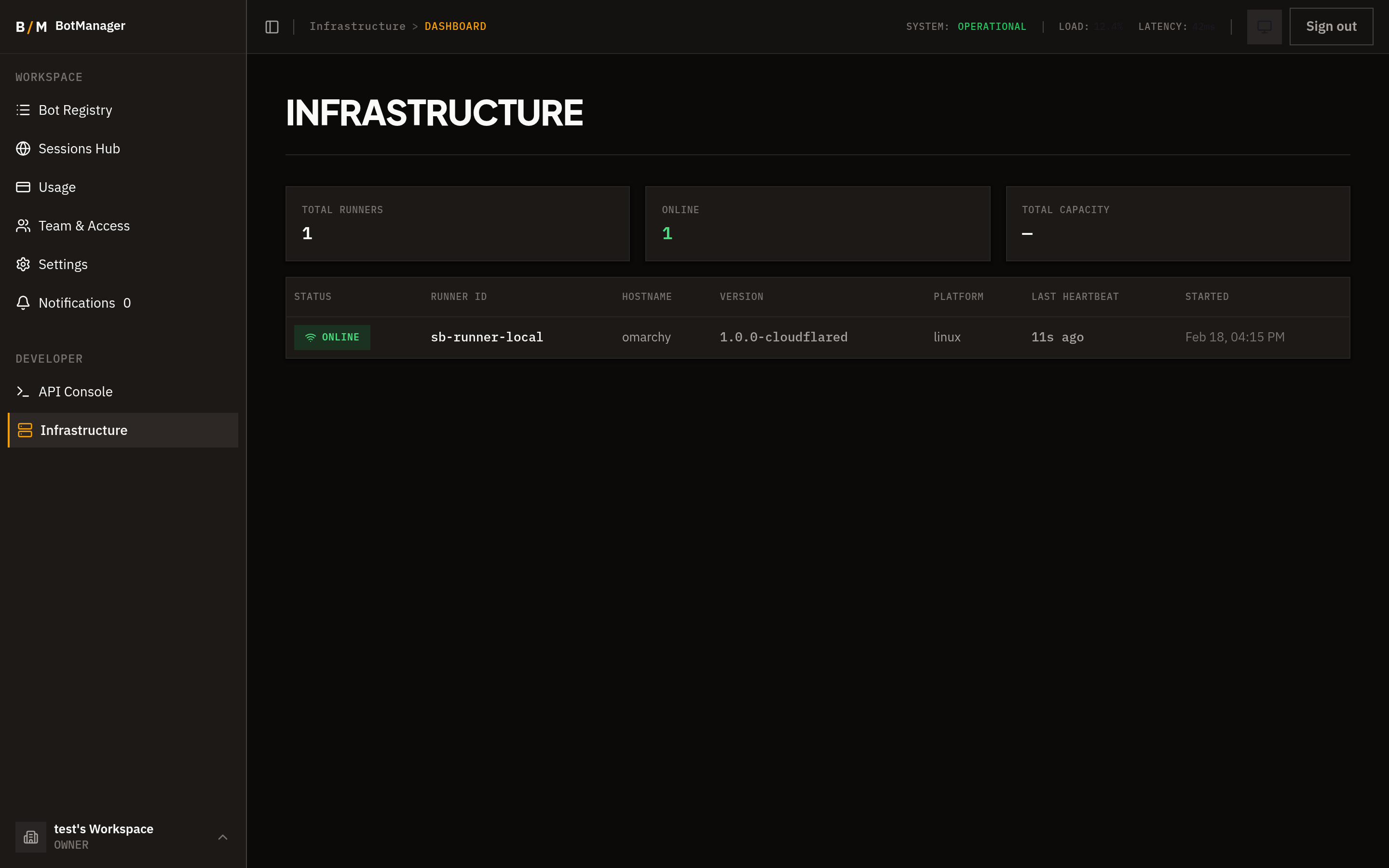
The dashboard displays all registered runner instances for your organization.
Summary Cards
At the top of the page, summary cards show:
- Total Runners — Number of registered runner instances
- Online — How many runners are currently active and accepting work
- Total Execution Capacity — The combined number of bots that can run simultaneously across all online runners
Runner Details
Each runner entry shows:
| Field | Description |
|---|---|
| Status | Online, Offline, or Unhealthy |
| Runner ID | Unique identifier for the runner instance |
| Hostname | The machine or container hostname |
| Version | Software version of the runner |
| Platform | Operating system and architecture |
| Last Heartbeat | Timestamp of the most recent health check |
| Started | When the runner was launched |
Health Monitoring
Runners send a heartbeat signal to hidettp every 15 seconds. This is how the platform knows a runner is alive and ready.
- A runner that has not sent a heartbeat in the last 60 seconds is marked as stale.
- Stale runners are automatically deregistered by the system and removed from the dashboard.
If a runner's status shows as Unhealthy, it is still sending heartbeats but has reported an issue (such as high resource usage or a failed internal check).
Scaling
Each runner reports its maximum number of concurrent executions and the bot types it supports. To increase your organization's execution capacity, deploy additional runner containers. hidettp automatically distributes work across all available runners.
There is no configuration needed on the hidettp side — runners register themselves when they start and deregister when they stop or become unresponsive.
Troubleshooting
- Runner shows Offline — The runner container may have stopped or lost network connectivity. Check the container logs and restart if needed.
- Runner shows Unhealthy — The runner is reachable but reporting a problem. Inspect the runner's logs for details.
- Runner disappeared from the list — If a runner fails to send heartbeats for 60 seconds, it is automatically deregistered. Restarting the container will re-register it.