AI Assistant
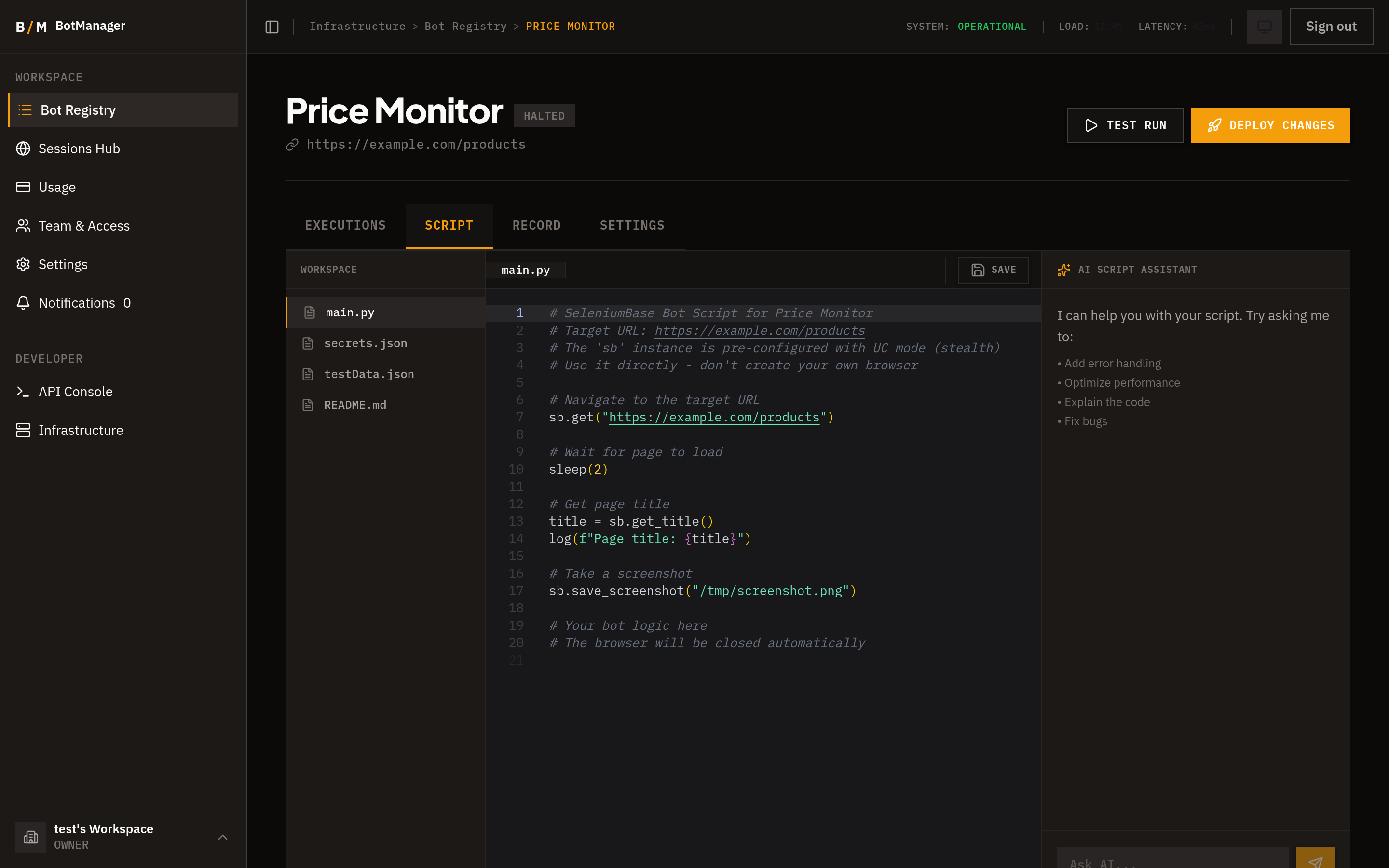
The AI assistant is a chat-based tool built into the script editor that helps you write, debug, and improve bot scripts using large language models.
How It Works
The assistant lives in a panel alongside the script editor. You type a message describing what you need, and the AI generates code, explanations, or suggestions based on your bot's context.
The assistant is context-aware -- it automatically has access to:
- Your bot's target URL and description.
- The current script in the editor.
- Recent execution errors and logs, so it can help diagnose failures.
This means you do not need to paste error messages or explain your setup. The AI already knows what your bot does and what went wrong.
Supported Models
You can choose from multiple AI models depending on your needs:
OpenAI:
- GPT-4o -- Best overall quality for complex scripts.
- GPT-4o-mini -- Faster and more cost-effective for simpler tasks.
- GPT-4-turbo -- High capability with large context support.
Anthropic:
- Claude 3.5 Sonnet -- Strong reasoning and code generation.
- Claude 3.5 Haiku -- Fast responses for straightforward tasks.
Select your preferred model from the dropdown in the assistant panel.
Capabilities
Generate Complete Scripts
Describe what you want the bot to do in plain English, and the assistant generates a full Python script using SeleniumBase.
"Go to example.com/products, search for 'wireless headphones', extract the name and price of each result on the first page, and return the data as a list of objects."
The assistant produces a working script that handles page navigation, element interaction, and data extraction.
Debug Failing Scripts
When an execution fails, open the assistant and ask it to help fix the issue. The AI sees the error details and the script that produced them, so it can pinpoint the problem and suggest corrections.
"My bot is failing with a timeout on the search button click. What's wrong?"
The assistant analyzes the selector, the page context, and the error, then proposes a fix.
Improve Existing Scripts
Paste or reference your current script and ask for improvements:
- Add error handling and retries.
- Optimize selectors for resilience.
- Add wait conditions to handle slow-loading pages.
- Restructure into pipeline mode for better progress reporting.
Explain Code
If you inherited a bot or are reviewing someone else's script, the assistant can walk through the code and explain what each section does.
Code Validation
When the AI generates code, it is automatically validated before being presented:
- Syntax checking -- Catches Python syntax errors before you apply the code.
- Structure validation -- Verifies the script follows the expected patterns for bot scripts.
If the generated code has issues, the assistant flags them so you can address them before applying.
Code Analysis
The assistant can analyze your script's quality and provide:
- A quality score indicating how robust and maintainable the script is.
- Improvement suggestions -- specific, actionable recommendations to make the script more reliable.
Applying Generated Code
When the assistant generates a script you want to use:
- Review the generated code in the chat panel.
- Click Apply Code to insert it into the editor as a new script version.
- The previous version is preserved in the version history, so you can always revert.
This one-click workflow makes it fast to iterate: describe what you want, review the output, apply it, run the bot, and refine based on results.